
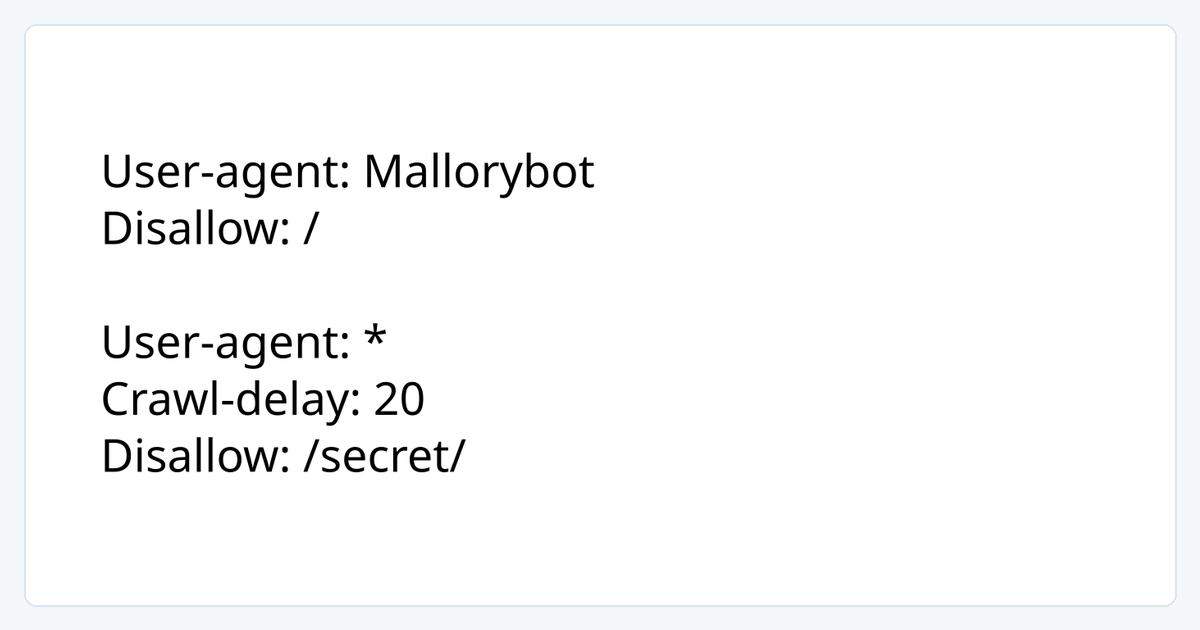

Crawl-delay in the image is an extension supported by some crawlers, not a core RFC 9309 directive; implementations may ignore it.
Confirm access and permitted use
Prefer an official API or export where available. Review the site’s terms, usage limits and privacy requirements. Public visibility alone does not grant permission for unrestricted collection, redistribution or high-frequency access. Obtain appropriate authorization for personal data, authenticated content and restricted pages.
Robots.txt is a crawler exclusion protocol, not an access grant or a security control. An absent prohibition does not override applicable terms or law.
Read robots.txt in context
Retrieve /robots.txt at the target origin and identify rules for your User-Agent. RFC 9309 defines matching and allow/disallow behavior; also check the target’s own documentation and your parser’s behavior. Do not treat disallowed paths as a list of resources to bypass.
curl -sS --connect-timeout 8 --max-time 20 https://example.com/robots.txtThe domain is a placeholder. Record the retrieval time, status, User-Agent and rule version. A missing file, timeout, redirect or fetch failure is not automatic permission; review the site’s terms or ask its operator.
Limit load and identify your client
Set per-host concurrency and request-rate limits, starting with a small low-frequency batch. On 429 Too Many Requests, stop increasing load, respect any Retry-After and use bounded backoff. On 403, CAPTCHA or a login wall, stop and check authorization rather than rotating IPs to bypass restrictions.
Use an identifiable User-Agent and contact channel. Avoid retaining unnecessary personal data or credentials in logs.
Validate data, not just request counts
- Record collection time, source URL, region and relevant status.
- Validate expected fields, types, currency and dates; detect challenge or login pages.
- Deduplicate, mark missing values and set retention limits.
- Review the target’s rules, error rate and content changes regularly; pause when needed.
Use the curl validation guide to inspect exit and response separately.
Sources and editorial notes
Reviewed 2026-10-29. An original guide based on the following sources; examples are illustrative.