
 DNS & protocols · MOOPROXY FIELD NOTES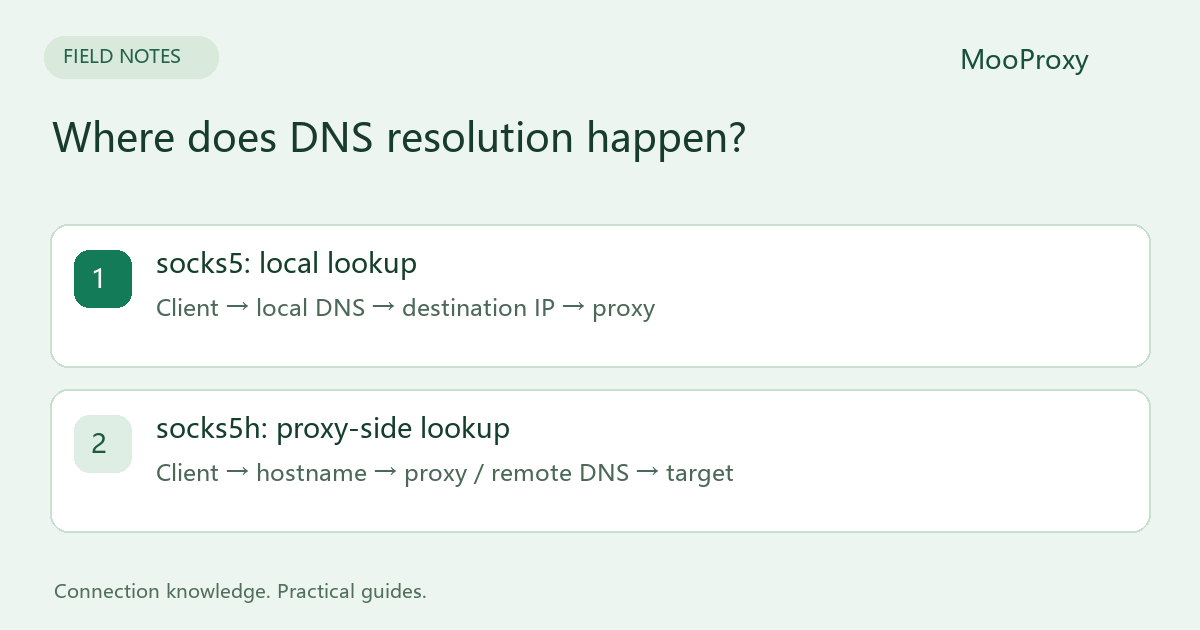
Start with the client, not just the protocol name
The following URL schemes apply to curl and Python Requests. Other applications may expose a checkbox such as “resolve DNS through SOCKS” instead of accepting socks5h as a scheme.
| Configuration | Destination lookup | What the proxy receives |
|---|---|---|
curl socks5:// |
Client-side | A locally resolved IP |
curl socks5h:// |
Proxy-side | The destination hostname |
Requests socks5:// |
Client-side | A locally resolved IP |
Requests socks5h:// |
Proxy-side | The destination hostname |
SOCKS5 supports IPv4, IPv6 and domain-name destination addresses. The h selects a client behavior; it is not a new SOCKS version. A proxy gateway specified by hostname may still need a local lookup. “Remote DNS” here refers to the destination hostname.[1][2]
When the difference matters
If the local network cannot resolve a destination but the proxy network can, local resolution may fail before a target connection is attempted. Remote resolution can also affect which CDN node answers, depending on the CDN's DNS routing. Neither mode is inherently faster in every location.
Remote resolution does not change an account's region, browser location permission or language settings. It also does not guarantee that a target will accept the connection. Those are separate checks, even when DNS works correctly.
Compare the two modes with curl
Copy the SOCKS5 gateway and complete credentials from the dashboard. Replace the placeholders below. Supplying only a username makes curl prompt for a password; include any generated region or session parameters in that password. These are Bash commands. On Windows, use curl.exe and combine each command onto one line.
curl --proxy "socks5://PROXY_HOST:PORT" \
  --proxy-user "YOUR_USERNAME" --noproxy "" \
  --connect-timeout 8 --max-time 25 https://example.com/

curl --proxy "socks5h://PROXY_HOST:PORT" \
  --proxy-user "YOUR_USERNAME" --noproxy "" \
  --connect-timeout 8 --max-time 25 https://example.com/
--noproxy "" clears the bypass list for this request so that an inherited NO_PROXY setting does not silently turn the test into a direct connection. Keep the gateway, credentials and target identical. Where appropriate, use the same sticky session to reduce exit changes between samples.
| Observation | What to investigate |
|---|---|
| Local mode fails; remote mode works | Local DNS, network policy and local lookup results |
| Both modes fail | Gateway connectivity, port, authentication and destination |
| Both work but return different content | Exit IP, CDN routing, cookies and account state |
| An IP checker shows the expected exit | This verifies that HTTP request's route, not its DNS path |
Apply the result to your actual application
Install Requests SOCKS support with python -m pip install "requests[socks]". Set proxy entries for both HTTP and HTTPS destinations. When building a proxy URL, percent-encode the username and password separately: a literal @ or : inside a password can otherwise change URL parsing.[3]
For a browser, confirm its proxy settings and bypass rules. Secure DNS, extensions and other applications may establish connections outside the specific test. A successful curl result is not evidence that every process on the machine uses the proxy.
Collect evidence that identifies the DNS path
If you control a test domain, use a fresh subdomain for each request and inspect authoritative DNS logs alongside client network records. Recursive resolvers can forward queries, so their addresses need not match the proxy exit. Reusing a hostname can also hide lookups through caching.
A useful support report includes client version, proxy protocol, DNS mode, timestamp with timezone, target hostname and a sanitized error. Keep full passwords and authenticated proxy URLs out of the report.
Sources and editorial notes
Sources checked on 2026-10-19. Original synthesis based on official documentation. Code illustrates configuration; it is not a production performance claim.
Ready to validate your connection?
Generate a configuration and start with a small test.